 Deutsch
 Slovensky
 Italiano
 Français
 Español
 Português
 Polski
Custom Appearance
With the Custom Appearance feature in Sygic GPS Navigation, your map becomes as unique as your driving style.
This feature lets you personalize the look and feel of your navigation — so the map reflects your taste, your mood, and even your vehicle.

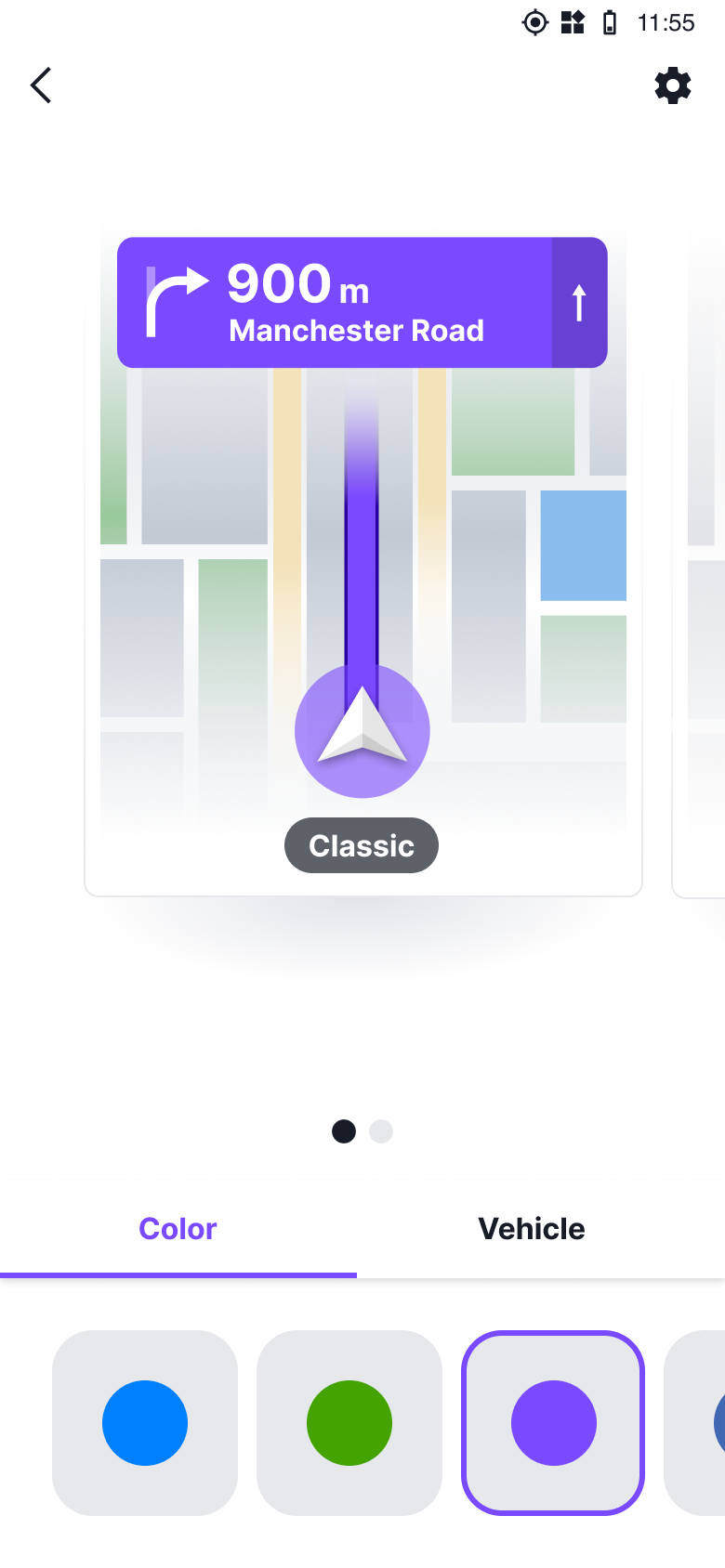
Whether you drive every day or enjoy spontaneous weekend trips, your navigation screen is your constant companion.
Now, with Custom Appearance, you can make it truly yours:
• Choose your color theme – pick from a curated palette of tones like Blue, Green, Purple, Deep Blue, or elegant Grey . Your selected color will be applied to both the route line and the Direction info for a consistent, stylish look.
• Select your navigation arrow (vehicle model) – make the icon on your map feel more like your car.
You’ll find the feature under Map Options → Color Theme.
Once you tap it, the customization screen opens showing all available color themes and vehicle icons at a glance.
Adjusting them is simple: one tap and the change appears instantly on your map.
Designed for Every Kind of Driver
Imagine an early-morning commute ,the road still dark and quiet. Switch to a darker theme like Ocean or Grey to reduce glare and make details easier to read.
Or picture a bright weekend trip , clear skies and open roads. Choose a vibrant Green or classic Blue for better visibility and a touch of personality.
Every drive is different and with Custom Appearance, your map can adapt to it.
The Custom Appearance feature is part of the Sygic PREMIUM+ subscription.