
 Deutsch
 Slovensky
 Italiano
 Français
 Español
 Português
 Polski
Import/Export data in GPX format
Import GPX files into Sygic GPS Navigation, explore what they contain, and save your routes for later.

What is a GPX file?
A GPX file is a format used to store GPS data, like routes, tracks, or waypoints. You can use it to plan trips, share routes, or navigate using data created elsewhere.
Better GPX file handling
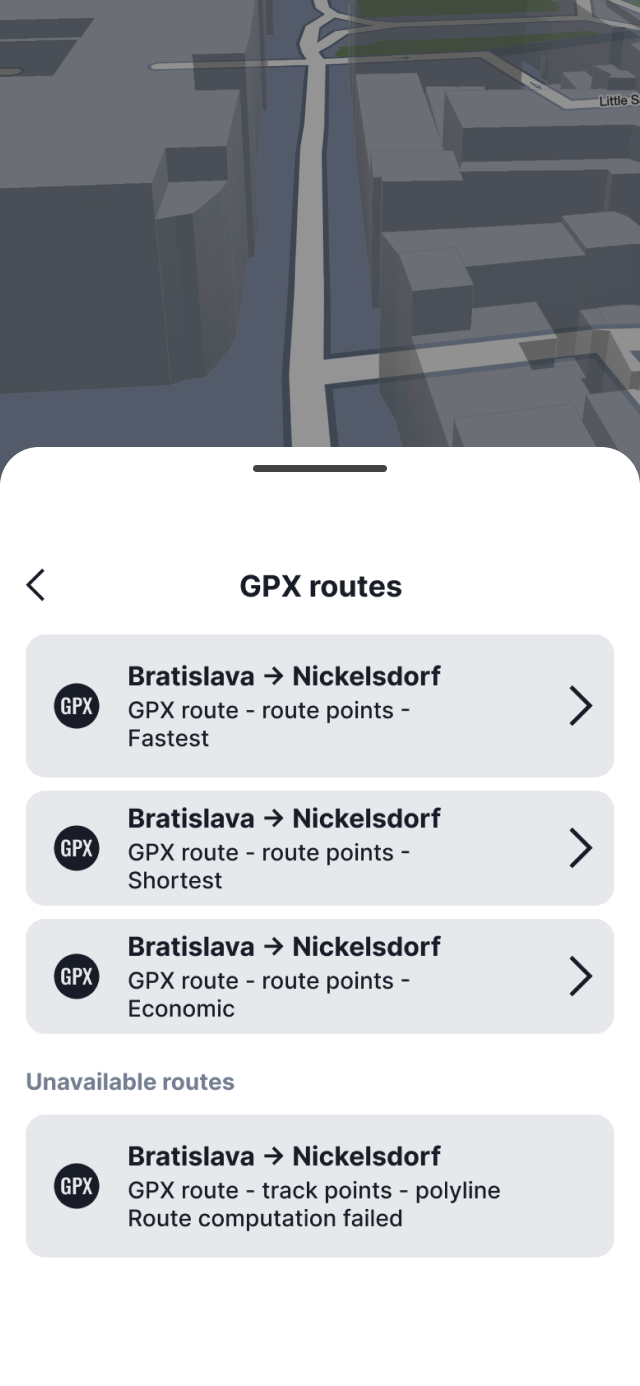
We’ve improved how GPX files work in the Route planner. When you import a GPX file, you’ll now see all route types it contains—for example, tracks, waypoints, or polylines. You can swipe between them to see different versions of the same route and choose the one you want to use. If you open the bottom panel, you’ll also find all route types in a simple list, so it’s easy to switch between them.
Note: Polylines are not supported when using Online maps. To use polylines, you need to have Offline maps downloaded.
Improved importing of GPX files
GPX files can now be imported directly from within the app via Favorites → GPX.
In the Favorites → GPX section, you’ll find the Import GPX button, which opens your device’s file manager.
Imported GPX files are stored in the app for quick access, so you no longer need to search for the file on your device each time you want to use the route. The files remain available in the app even if they are deleted from their original location on the device.
Export GPX file
You can also export routes you create in the app and use them elsewhere. This is useful if you want to share your route with others.
To export a route, open the Route planner, select your route, and use the Export option. You can then choose where to save the file or how to share it.
Beginning in version 26.3 of Sygic GPS Navigation, you can import and export GPX files. This feature is free for all users.